This TP-Link USB Bluetooth Adapter review looks at the UB500 Plus for desktop and laptop owners who need Bluetooth connectivity or want a newer adapter for compatible Windows PCs.
Bluetooth 5.3, an adjustable antenna, and support for several older Bluetooth versions make it a flexible option, with Windows version and setup needs worth checking first.
TP-Link UB500 Plus Review Summary
The quick verdict
1,000+ ratings
Read Amazon ReviewsTP-Link UB500 Plus
A practical fit for Windows PC owners adding Bluetooth who want a newer standard, adjustable antenna, and broad backward compatibility.
- Bluetooth 5.3 with backward compatibility for Bluetooth 4.2, 4.0, 3.0, 2.1, 2.0, and 1.1.
- EDR and Bluetooth Low Energy support for data transfer and lower-power Bluetooth operation.
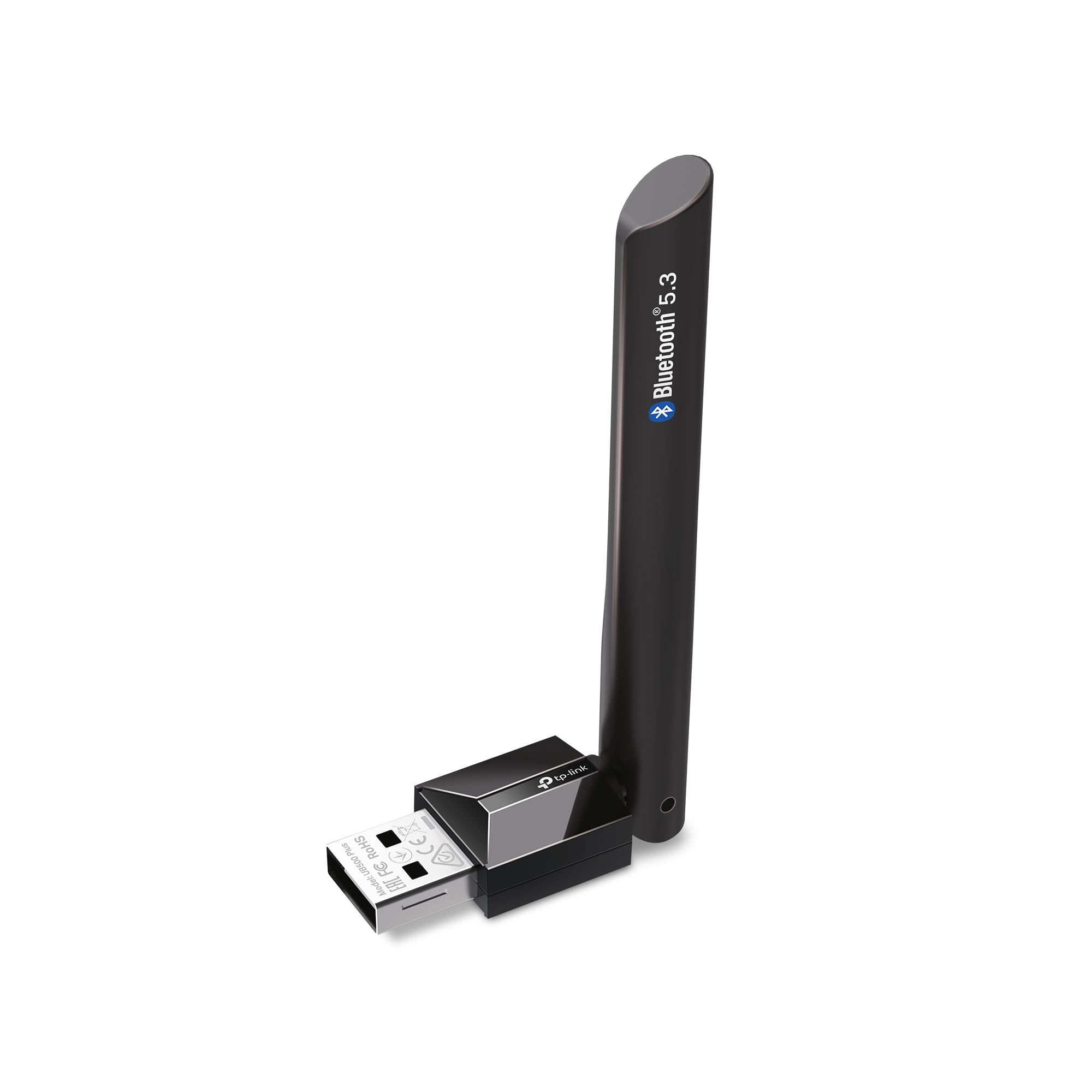
- An adjustable, multidirectional antenna that can be rotated to find a suitable position.
- The product description gives maximum comparisons of up to twice the speed and four times the coverage of Bluetooth 4.0.

Pros
- Bluetooth 5.3 and a wide range of older Bluetooth versions support a mix of newer and legacy peripherals.
- The adjustable antenna gives more placement flexibility than a fixed orientation.
Consider before buying
- Windows 7 setup takes an extra driver download step.
- The maximum speed and coverage comparisons are not guarantees; placement, obstacles, and connected devices can affect the experience.
Read the full review summary
The UB500 Plus combines Bluetooth 5.3 with EDR and Bluetooth Low Energy, alongside backward compatibility from Bluetooth 4.2 through version 1.1.
Its adjustable, multidirectional antenna is the distinguishing design feature: it can be rotated to suit the adapter's position, which may help users orient it for their setup.
It is intended to add Bluetooth to a non-Bluetooth Windows desktop or laptop and connect peripherals such as keyboards and mice.
Windows 8.1, 10, and 11 are described as plug-and-play when the computer has an internet connection; Windows 7 requires a separately obtained driver.
Buyers should treat the speed and coverage figures as maximum comparisons with Bluetooth 4.0, not as guaranteed results in every room or with every device.
The buying factors
TP-Link UB500 Plus Scorecard
Editorial scores reflect listed features and buyer fit; they are not laboratory measurements or customer ratings.
Bluetooth version support
Bluetooth 5.3 is paired with backward compatibility across versions 4.2, 4.0, 3.0, 2.1, 2.0, and 1.1.
Antenna flexibility
The multidirectional antenna can be rotated and adjusted to suit the adapter's placement.
Windows setup
Plug-and-play is described for Windows 8.1, 10, and 11 with internet access; Windows 7 requires a driver.
Power-conscious connectivity
The adapter supports both EDR and Bluetooth Low Energy, covering different Bluetooth connection needs.
Range and speed potential
The stated maximum improvements over Bluetooth 4.0 are appealing, though actual results depend on the surrounding setup.
Platform flexibility
The described operating-system support is focused on Windows, so buyers using another platform should confirm compatibility before purchase.
Key Features and Specifications of TP-Link UB500 Plus
- Bluetooth 5.3 with backward compatibility for Bluetooth 4.2, 4.0, 3.0, 2.1, 2.0, and 1.1.
- EDR and Bluetooth Low Energy support for data transfer and lower-power Bluetooth operation.
- An adjustable, multidirectional antenna that can be rotated to find a suitable position.
- The product description gives maximum comparisons of up to twice the speed and four times the coverage of Bluetooth 4.0.
- Plug-and-play support is described for Windows 8.1, 10, and 11 when the computer is connected to the internet.
- Windows 7 is supported with a driver that must be downloaded separately.
Pros and Cons of TP-Link UB500 Plus
Pros
- Bluetooth 5.3 and a wide range of older Bluetooth versions support a mix of newer and legacy peripherals.
- The adjustable antenna gives more placement flexibility than a fixed orientation.
- EDR and Bluetooth Low Energy cover distinct connectivity approaches.
- The stated setup is straightforward for supported Windows versions when internet access is available.
Consider before buying
- Windows 7 setup takes an extra driver download step.
- The maximum speed and coverage comparisons are not guarantees; placement, obstacles, and connected devices can affect the experience.
- People using an operating system other than the listed Windows versions should confirm compatibility for their computer before buying.
Who Should Buy TP-Link UB500 Plus?
Good fit
Consider the UB500 Plus if you need to add Bluetooth to a Windows desktop or laptop and want support for both Bluetooth 5.3 and older devices.
Its compatibility range is useful when your peripherals do not all use the same generation, while EDR and Low Energy give it flexibility across device types.
The antenna is a practical reason to choose this model if the USB port's orientation or position makes it difficult to place a compact adapter conveniently.
You can rotate it to suit the computer's location, though a better orientation should be viewed as a setup option rather than a promise of a particular range.
For Windows 8.1, 10, or 11, check that the computer can connect to the internet during setup.
If you use Windows 7, plan to obtain the required driver separately and confirm the adapter suits the specific peripherals you intend to connect.
Who should skip it
Skip it if your computer is not running one of the listed Windows versions unless you have confirmed compatibility for your operating system. The supplied compatibility details focus on Windows.
Look elsewhere if your purchase decision depends on a guaranteed range or speed in a particular room. The figures are stated as maximum comparisons with Bluetooth 4.0, and your layout and devices may affect results.
How the TP-Link UB500 Plus fits a Windows PC setup
Bluetooth version range for mixed peripherals
Bluetooth 5.3 support is paired with backward compatibility for versions 4.2, 4.0, 3.0, 2.1, 2.0, and 1.1.
That breadth makes the adapter worth considering for a computer that needs to work with a mixture of newer and older Bluetooth accessories, though compatibility with the adapter's listed standards does not by itself guarantee every device will work as intended.
What the adjustable antenna changes
A multidirectional antenna that rotates gives you a way to adjust its orientation after connecting the adapter. This can be useful when a desktop sits close to a wall or the USB port faces an awkward direction.
The product description connects positioning with reception, but it does not establish a specific result for every room, distance, or source of interference.
Interpreting the speed and coverage figures
The product description gives maximum comparisons of up to twice the speed and four times the coverage versus Bluetooth 4.0.
Those figures provide a point of reference, but they should not drive a purchase as if they were measured outcomes for your particular setup.
Check whether the computer, connected devices, and intended placement suit your use, especially if you are buying mainly to address a connection problem.
Windows installation and driver planning
Windows 8.1, 10, and 11 are described as plug-and-play when the PC has internet access, while Windows 7 needs a driver download.
If you are setting up an offline computer, using Windows 7, or connecting a specific peripheral, plan around those conditions and confirm any device-specific requirements before relying on the adapter.
Alternatives to TP-Link UB500 Plus
One alternative is included for a useful comparison in Bluetooth version support and adapter design.
Bluetooth Network Adapters alternative
3,000+ ratings
Read Amazon ReviewsSABRENT BT-UB40 USB Bluetooth 4.0 Micro Adapter
Choose the TP-Link if Bluetooth 5.3 support and an adjustable antenna matter for your PC setup.
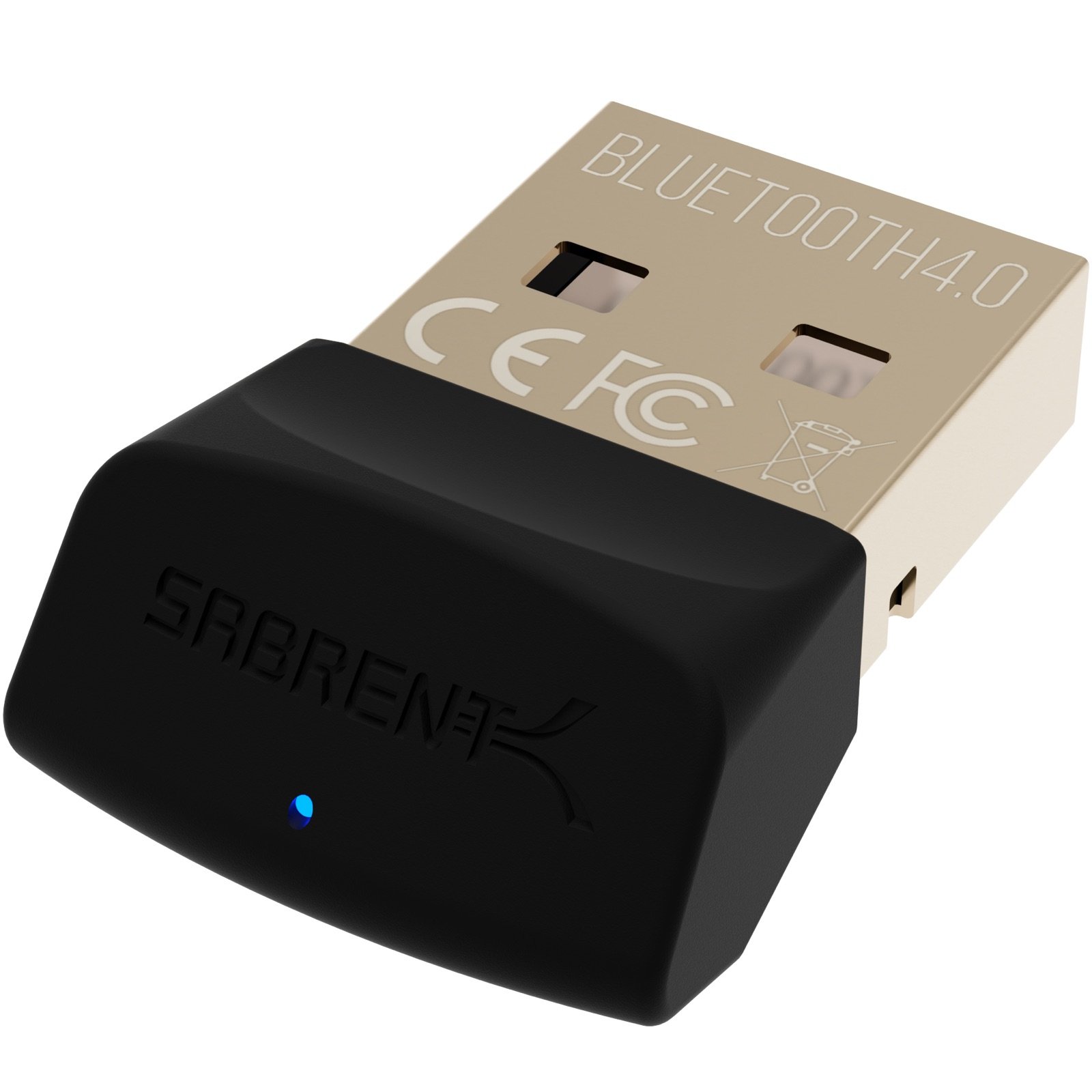
The SABRENT is a simpler alternative if Bluetooth 4.0 with Low Energy covers your needs and its micro-adapter form is a better fit; its listed standard set is narrower than the TP-Link's.
- The SABRENT BT-UB40 is a Bluetooth 4.0 Class 2 micro adapter with Low Energy support and compatibility with versions 3.0, 2.1, 2.0, and 1.1.
- Its listed uses include connecting a Bluetooth headset to a PC and linking a laptop with a cellular phone.
- The TP-Link UB500 Plus offers Bluetooth 5.3, an adjustable multidirectional antenna, and compatibility with several older Bluetooth versions.
Is TP-Link UB500 Plus Worth It?
The TP-Link UB500 Plus is worth considering for Windows PC owners who need Bluetooth and value Bluetooth 5.3, broad backward compatibility, and an adjustable antenna.
It is especially straightforward to consider for Windows 8.1, 10, or 11 systems that can connect to the internet during setup.
Before buying, confirm that your operating system and intended peripherals are suitable. Treat the maximum speed and coverage comparisons as potential benefits rather than promised outcomes, and plan for a separate driver download if you use Windows 7.
Your review at a glance
1,000+ ratings
Read Amazon ReviewsTP-Link UB500 Plus
A practical fit for Windows PC owners adding Bluetooth who want a newer standard, adjustable antenna, and broad backward compatibility.
- Bluetooth 5.3 with backward compatibility for Bluetooth 4.2, 4.0, 3.0, 2.1, 2.0, and 1.1.
- EDR and Bluetooth Low Energy support for data transfer and lower-power Bluetooth operation.
- An adjustable, multidirectional antenna that can be rotated to find a suitable position.
- The product description gives maximum comparisons of up to twice the speed and four times the coverage of Bluetooth 4.0.